
Team members
Invite team members to your workspace and collaborate together
Invite team members to collaborate in your workspace. All team members currently share the same permissions — everyone can create, edit, and manage projects.
Invite team members
Add people to your workspace:
- Select your profile icon in the upper right
- Select Team
- Select + Add Team Member
- Enter their email address
- Select Send Invite
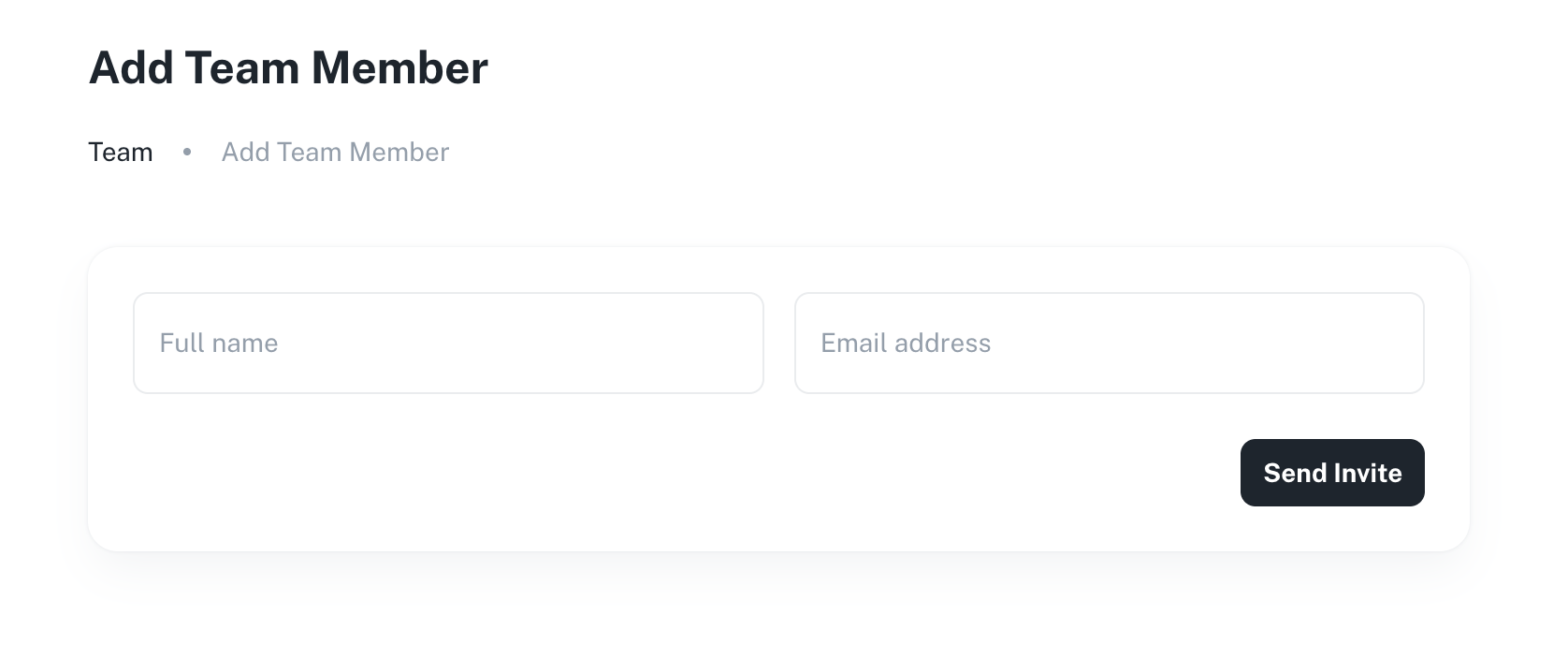
Team members receive an email invitation to join your workspace.
Manage team members
View and manage your team:
- Select your profile icon
- Select Team
- View all workspace members
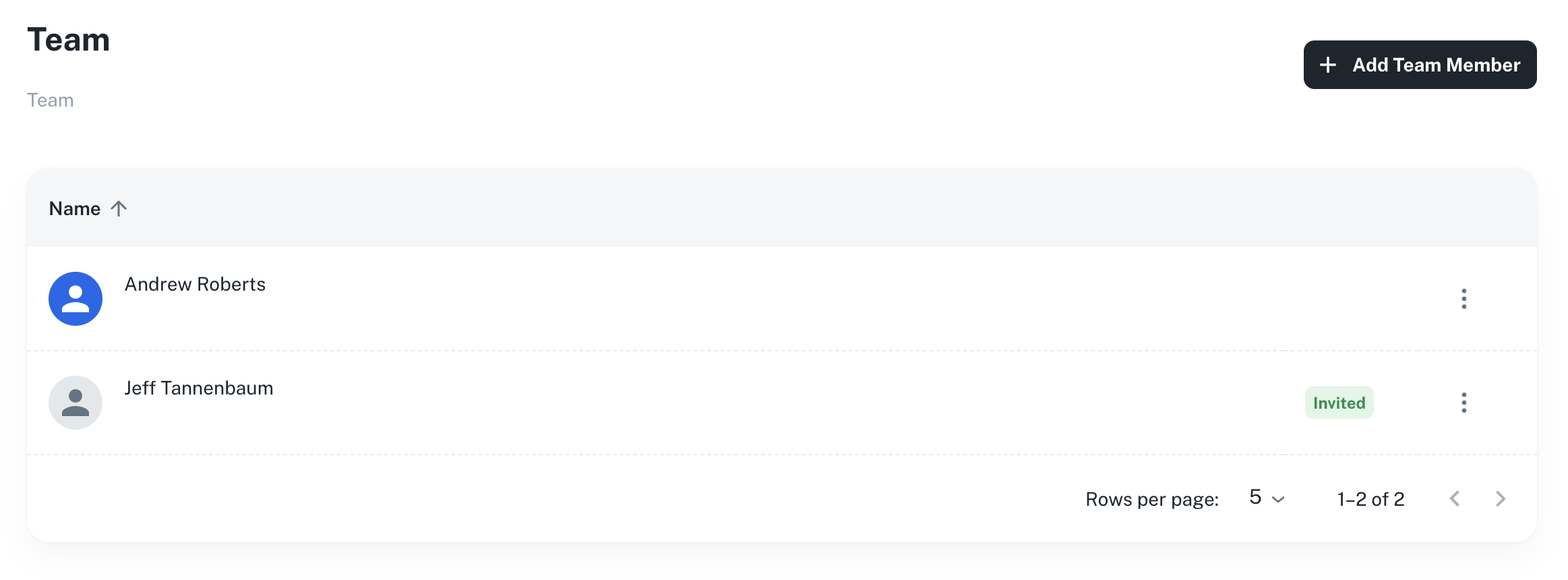
From here you can:
- Resend invitations
- Remove team members
Team usage
Monitor credit usage across your team in Credits.
Tip
Team members on the same workspace share the workspace's credit allocation. Monitor usage to ensure credits are available when needed.