
Quick start
From sources to finished decks in minutes
Deliverables AI turns your documents, data, and research into professional presentations and reports—from comprehensive CIMs to investor decks to board presentations. Upload your sources, describe what you need, and download an editable deck in minutes.
How it works
Every project has three columns:
- Sources - Documents, images, and web pages you upload
- Agent - Where you select an agent, write your prompt, and generate
- Deliverables - Decks and documents that are generated
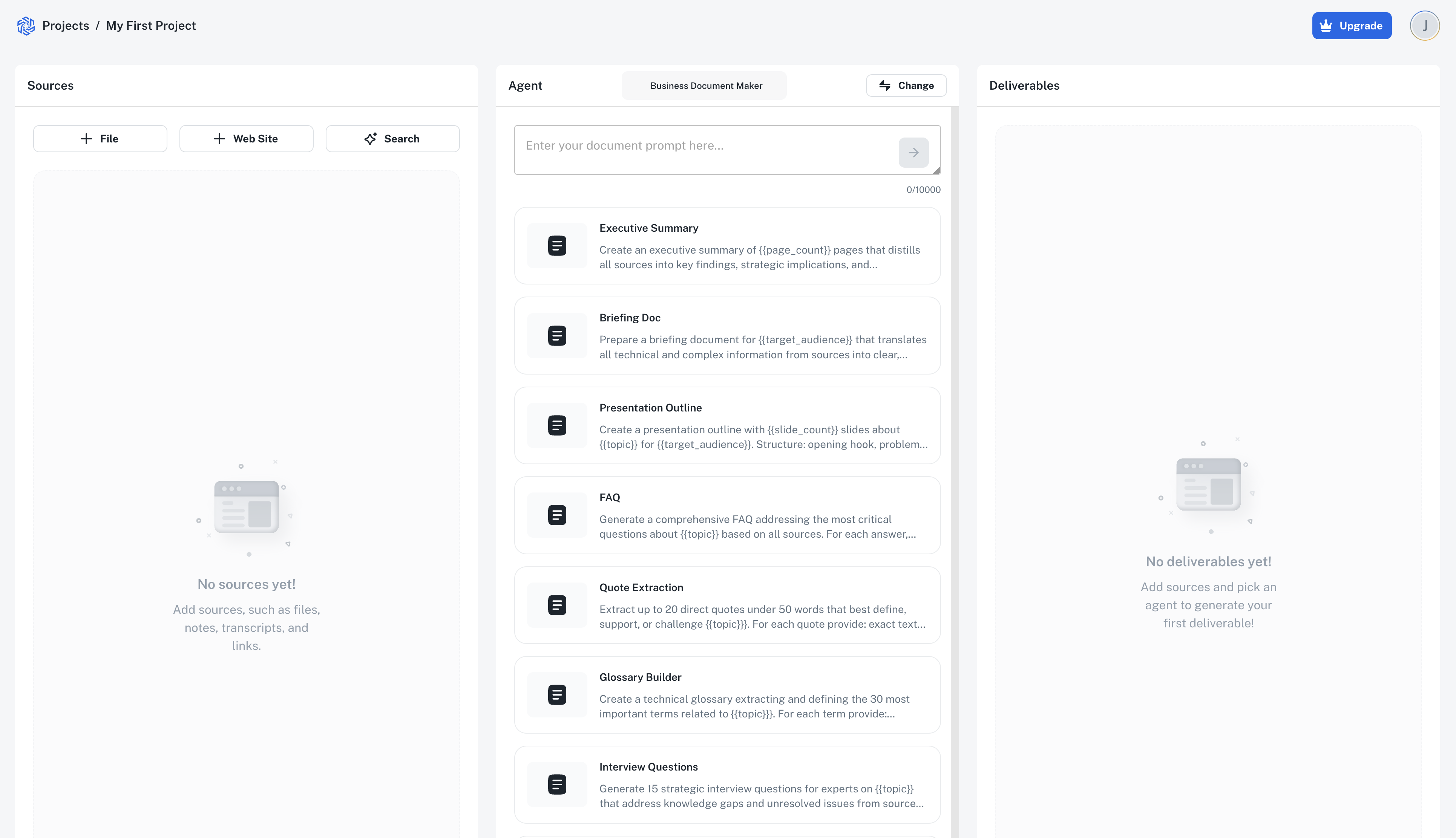
The workflow
- Add sources - Upload files, add links, paste text, or use Deep Research
- Select an agent - Presentation Maker is the default, or choose a document agent for written reports
- Write a prompt - Describe what you need
- Generate - Select your model and generate
- Download and edit - Get an editable PowerPoint (.pptx) or Word (.docx) file, make your final adjustments, and deliver
When to create a new project
Create a new project when you're working with different source materials. This keeps your deliverables organized and ensures the AI focuses on the right content.
For example, if you're preparing both a CIM and a management presentation from the same deal materials, keep them in one project. If they use different sources, create separate projects.
Your data is secure
We work with confidential deal materials every day. Your data is encrypted end-to-end, isolated from other customers, and never used to train AI models. Full security details →